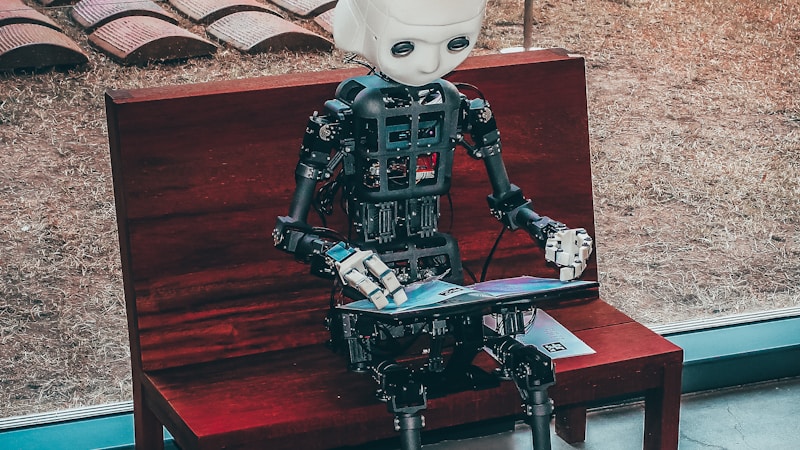
Open WebUI: Giving Your Local Models a Face People Will Actually Use
You got Ollama running. Great. Now explain to your partner how to curl localhost:11434. Open WebUI is the part that makes local AI usable by humans who don't live in a terminal — and, crucially, it does it without sending a single prompt to a third party.
Installing Ollama is a victory. Then reality hits: the only interface is a REPL or a raw API endpoint. Everyone else in your house, your team, or your client sees nothing they can click. You become the permanently-on-call "AI support desk" because only you can drive the thing.
This is the exact gap Open WebUI fills. It is a self-hosted, browser-based ChatGPT clone that connects to any OpenAI-compatible backend — almost always Ollama — and wraps it in the polished UX people already expect: chat history, per-user accounts, document upload, image generation, voice input, functions, and a plugin pipeline. MIT-licensed. Runs on your hardware. No account required to self-host.
This is the second pillar (after Ollama) of a credible local AI stack. If Ollama is the engine, Open WebUI is the bodywork — and without it, you are the only one who can drive.
1. The "It Runs, Now What" Problem
Let me be specific about the pain. After ollama run qwen3:14b works, you have a model. What you do not have is:
- A way for your non-technical partner to ask it to draft an email.
- A shared history so the family is not all starting from zero.
- A place to drop a PDF and say "summarize this."
- Any concept of users, so you cannot safely let anyone else touch it without handing them terminal access.
The reason this blog covers Open WebUI right after Ollama is dependency: Open WebUI is useless without a model backend, and Ollama is the backend 90% of self-hosters run. They are the chicken and egg of the local-AI world, and you install the egg (Ollama) first. Get Ollama solid, then layer this on top.
2. What Open WebUI Actually Is
It is a frontend and light orchestration layer, not a model server. Architecturally:
- A Python/FastAPI backend that proxies requests to your model backend (Ollama on
:11434, or any OpenAI-compatible endpoint like vLLM or LM Studio). - A Svelte frontend served on
:3000(default container port8080internally). - Optional integrated services: a RAG pipeline, a web search tool, an image-generation bridge, a TTS/STT voice layer, a functions/pipelines system, and an admin/user management system.
Crucially, Open WebUI does not run inference. It sends prompts to Ollama (or vLLM, or LM Studio) and renders the responses. If Ollama is local and offline, Open WebUI is local and offline. The data-sovereignty story is inherited wholesale from the backend — which is why this blog's "keep the backend local" rule is the one commandment you must not break.
What it is not:
- Not a model. It ships no weights.
- Not a replacement for Ollama. It needs one.
- Not a training tool. It consumes models; it does not build them.
- Not inherently private. It is only as private as the backend you point it at — point it at
gpt-5and you have built a worse ChatGPT that also phones home.
3. Installation (the Docker Path)
The supported, maintainer-tested path is Docker:
docker run -d -p 3000:8080 \
  --add-host=host.docker.internal:host-gateway \
  -v open-webui:/app/backend/data \
  --name open-webui --restart always \
  ghcr.io/open-webui/open-webui:main
Then visit http://localhost:3000, create an admin account, and point it at your Ollama instance. On a single host, host.docker.internal resolves to the Ollama daemon. For a homelab, mount a shared volume and expose :3000 on your LAN — suddenly everyone on the network has a private ChatGPT.
Bare-metal install (Python) is also supported but the Docker route is the one the maintainers test hardest, and it keeps Python dependencies from polluting your system. For a multi-user home instance, the Docker Compose route is even cleaner because it lets you pin versions and mount a persistent volume:
services:
  open-webui:
    image: ghcr.io/open-webui/open-webui:main
    ports:
      - "3000:8080"
    volumes:
      - open-webui:/app/backend/data
    extra_hosts:
      - "host.docker.internal:host-gateway"
    restart: always
The one config mistake everyone makes: forgetting that the container cannot see localhost on the host the way you do. Inside the container, Ollama is not at localhost:11434 — it is at host.docker.internal:11434. Set OLLAMA_BASE_URL=http://host.docker.internal:11434 in the container environment, or Open WebUI will report "no models" forever while Ollama sits right there, unreachable. This single misconfiguration generates more confused GitHub issues than everything else combined.
One more: pin the image tag. main is a moving target; a dated release (e.g. :v0.6.x) is what you want for a shared instance that other people depend on. An upstream change should never surprise a user mid-conversation.
4. A Real Deployment Walkthrough
Theory is cheap. Here is the actual sequence for getting a household of four onto a private AI assistant, end to end, in an afternoon.
Step 1 — The engine. You already have Ollama on a machine with a 16 GB+ GPU. ollama pull qwen3:14b and ollama pull nomic-embed-text (the local embedding model you will need for RAG). Confirm both respond on :11434.
Step 2 — The face. Run the Docker command above. Open :3000. Create the admin account — this is you, and it has god permissions, so use a strong password.
Step 3 — The backend link. In Settings → Connections, set the Ollama base URL to http://host.docker.internal:11434. The model dropdown should now populate with qwen3:14b. If it stays empty, this is the networking gotcha — double-check the host alias, not the model name.
Step 4 — The first real user. Create a standard user for your partner. Give them the LAN URL. They open it in a browser, log in, and type a question. It works. You did not have to explain a terminal. This is the moment the whole project pays off.
Step 5 — The document test. Upload a lease PDF as that user. Ask "what is my break clause?" With the local embedding model enabled, the answer is drawn from the document and never leaves the box. Show your partner; watch the light go on.
Step 6 — Harden (see §10). Before you tell the kids or your coworkers, put it behind a reverse proxy with TLS and confirm no cloud endpoint is configured for embeddings. The setup is now safe to share beyond the LAN.
That is the whole journey from "it runs in my terminal" to "my family has a private assistant." The technical surface is small; the payoff is large because it converts a personal tool into a shared one.
5. Hands-On: What You Get
Beyond chat, the features that make it stick:
- Multi-user accounts & roles. Admin, users, and (via optional config) per-user model limits. This is what lets you safely share with a household or small team without giving everyone root on your GPU.
- RAG / "chat with your docs." Upload PDFs, paste URLs, or connect a saved source; Open WebUI chunks, embeds, and retrieves. By default it can use a local embedding model via Ollama — keeping the whole pipeline offline. This is the killer feature for most non-technical users: "drop the lease PDF in, ask questions about it" just works.
- Image generation. Flip
ENABLE_IMAGE_GENERATION=trueand point it at a local image endpoint (e.g. a FLUX model behind Ollama, or ComfyUI). No Midjourney subscription, no watermark. - Voice. Built-in TTS and STT — talk to your model and hear it talk back, all local if you use a local TTS model.
- Web search grounding. Optional, and you choose the provider — including self-hosted ones. Toggle it per-chat.
- Functions & pipelines. A growing system for custom pre/post-processing — guardrails, custom prompts, response filters, external API calls (see §6).
- Model switching. Swap between every model Ollama has pulled, mid-conversation. One minute you are drafting with a 14B; the next you are coding with a 7B coder.
The honest delight: it feels like a product, not a project. That is rare in self-hosted tooling, and it is exactly why non-technical people in your life will actually use it.
6. Functions & Pipelines: Custom Logic Without a Fork
Most people stop at "it chats." The feature that turns Open WebUI from a chat box into a platform is Functions — small Python snippets that hook into the request/response lifecycle. This is where you encode your own rules without forking the codebase.
Two flavors:
- Filter functions run on every message — in, out, or both. Examples: a profanity/PII redactor that strips emails before a prompt leaves; a "force system prompt" filter that pins your house style; a cost guard that rejects requests over a token budget.
- Action functions are user-triggered buttons — "summarize this thread," "export to Markdown," "translate to French." They appear as clickable chips in the UI.
def filter(input: str, messages: list, user: dict) -> str:
    # Always remind the model of the household rule
    return "Respond concisely. Assume a non-expert reader.\n\n" + input
The pipelines system (separate but complementary) lets you chain external services — call your own n8n webhook, hit an internal API, route between models by intent. For a small team, this is how Open WebUI becomes "the AI front door that also files tickets, summarizes standups, and writes the changelog" rather than "the thing that answers questions."
The caveat: functions run on your server with the privileges you grant. A badly-written filter can mangle output or, worse, leak data if it calls an external endpoint. Treat them like any code you would ship — review, version, and test on a non-admin account before you roll them to everyone.
7. Voice & Image: The Local Multimodal Stack
Two features that surprise people with how complete they are when run locally:
Voice (STT + TTS). Open WebUI ships with a built-in speech-to-text path (it can use a local Whisper model via Ollama) and text-to-speech. Enable both and you can hold a spoken conversation with your local model — dictating a memo, hearing it read back, all on hardware you own. For a household with a kid doing homework, or a workshop where hands are busy, this is the difference between "neat tool" and "daily use." Keep the STT model local (Whisper Q4) and nothing you say is transcribed on someone else's server.
Image generation. With ENABLE_IMAGE_GENERATION=true and a local backend (ComfyUI is the strong choice — see that deep dive), typing "make me a logo for a coffee roastery, minimal, warm" drops an image into the chat. No subscription, no watermark, no "your prompt may be used to improve." The image pipeline inherits the same sovereignty guarantee as everything else: point it at a local model and the pixels never leave your GPU.
The honest note: voice quality at home lags the cloud leaders. Whisper Q4 mishears noisy rooms; local TTS sounds flatter than a frontier voice model. But for the 90% case — quiet room, clear speech, "read me the summary" — it is more than good enough, and the privacy win is total. Trade a little polish for zero eavesdropping.
8. RAG Deep-Dive: Making "Chat With Your Docs" Actually Work
RAG is where Open WebUI earns its keep for normal users, and it is also where the privacy story can quietly fall apart — so let me be precise.
How it works: you upload a document. Open WebUI splits it into chunks, sends each chunk to an embedding model to turn it into a vector, and stores those vectors in a vector database (default: a local Chroma/SQLite setup in your data volume). When you ask a question, it embeds your question, finds the closest chunks, and stuffs them into the prompt as context. The model answers from your documents.
The privacy crux: the embedding step requires a model. If you use a local Ollama embedding model (e.g. nomic-embed-text), the entire pipeline — chunking, embedding, storage, retrieval — happens on your hardware. Your documents never leave the box. If you instead configure a cloud embedding provider (some setups default to one for quality), your document text is shipped out for embedding. That single setting decides whether "chat with your lease" stays private.
My rule: for anything sensitive, use a local embedding model and verify in the settings that no cloud endpoint is configured. The UI makes this easy; the trap is the default.
Practical tuning: chunk size and overlap matter. Too large and retrieval is coarse; too small and you lose context. Start with the defaults, then adjust if answers feel off. For codebases, a larger chunk with more overlap helps. For long reports, smaller chunks with high overlap preserve detail. And remember the model behind the RAG still needs to be good — embedding finds the right passages, but a weak chat model will still mangle the synthesis. RAG is a retrieval aid, not a capability boost.
9. Performance & Cost
Open WebUI itself is lightweight — 512 MB RAM baseline, negligible CPU when idle. The cost is entirely the backend. If Ollama runs on your own GPU, your marginal cost is electricity (~$0.05–$0.10/day for a few hours of use). If you point it at a cloud API instead, you inherit that bill — and defeat the privacy point.
| Deploy | One-time | Ongoing | Privacy |
|--------|-----------|----------|----------|
| Ollama local + Open WebUI (Docker) | own hardware | electricity only | full |
| Open WebUI + cloud API | $0 | API subscription | none |
The takeaway: Open WebUI is cheap; the architecture behind it is what costs or saves you money. The UI is a rounding error on your GPU's power draw. The model backend is the whole equation.
A note on scaling: Open WebUI handles a household (5–15 users) on modest hardware fine, because inference is Ollama's job, not its. For a company with hundreds of concurrent users, you would move the model backend to vLLM for throughput and keep Open WebUI as the face — same UI, beefier engine. The frontend scales by not doing the expensive work.
10. Hardening: From "It Works" to "I'd Trust My Family With It"
The gap between a working demo and a safe shared instance is small but non-negotiable:
1. Reverse proxy with TLS. Put Open WebUI behind Caddy or nginx with a real certificate. Never expose :3000 raw to the internet.
2. Rate limit and authenticate. The built-in user system is your first layer; a proxy-level rate limit is your second (stops a runaway script from melting your GPU).
3. Pin the image. Use a dated release tag, not main, so an upstream change cannot surprise you.
4. Back up the volume nightly. Cheap insurance — your chat history and RAG indexes live there.
5. Keep the backend local. The whole privacy thesis rests on this one line in your config.
6. Watch the embedding setting. Confirm no cloud endpoint is configured for embeddings if the data is sensitive.
Do these six and you have a private AI assistant a non-technical person can use safely. Skip them and you have an open door with your GPU behind it. The hardening is boring, which is exactly why it gets skipped and exactly why it matters.
11. Honest Limitations
- It is only as private as its backend. Point Open WebUI at
gpt-5and you have built a worse ChatGPT that also phones home. Keep the backend local. I cannot say this enough. - Resource use scales with usage. Document embedding and RAG indexing eat RAM and disk; a large document library needs a real machine, not a Pi. I have seen a "chat with my 10,000-page legal archive" setup eat 30 GB of RAM on embeddings alone.
- Admin features need care. Exposing
:3000to the public internet without auth hardening is a mistake. Use a reverse proxy with TLS and rate limits for anything beyond a LAN. Open WebUI has auth, but the transport is on you. - Some features assume config comfort. Image gen, pipelines, functions, and advanced RAG need environment flags — not hard, but not zero-config either.
- No native fine-tuning or training. It consumes models; it does not build them.
- Version churn. Like everything in this space, releases move fast. Pin your image tag or accept that behavior can change under you.
- The UX can lag the model. Because it is a wrapper, a new model capability sometimes needs a UI update to expose. Usually fast, occasionally annoying.
- Voice and image quality trail the cloud. Local Whisper and TTS are good, not great. Accept the gap or point those specific features at a cloud service and know you have traded privacy on that one path.
12. Data Sovereignty: Where It Goes
Open WebUI stores everything — chats, uploaded documents, user accounts, vector indexes, and settings — in its mounted data volume (the -v open-webui:/app/backend/data you set). On a local Docker host, that is a folder on your disk. No mandatory cloud sync. No telemetry by default.
Caveats — the ones that actually bite:
- Choose embedding/models consciously. If you enable cloud embeddings, document text leaves the box. Use a local Ollama embedding model to stay air-gapped.
- Back up the volume. Your chat history and RAG indexes live there; treat it like any important data. A
docker volumebackup to an external drive is ten minutes once and saves you from "I lost every conversation" later. - Reverse-proxy logs. If you put it behind nginx/Caddy, those logs may capture IPs — standard web-hosting hygiene applies. It is your server, so it is your log.
- The model backend is the real boundary. Open WebUI cannot leak what it never sends. If the backend is local, the data never moves.
13. How It Compares
| Tool | Angle | License | Multi-user | Local backend |
|------|-------|---------|------------|---------------|
| Open WebUI | Full ChatGPT-like UX + RAG + voice | MIT | Yes (built-in) | Yes (Ollama/vLLM/any) |
| AnythingLLM | Document/RAG-first workspace | MIT | Yes | Yes |
| LibreChat | Multi-model unified frontend | MIT | Yes | Yes |
| Chatbot UI | Minimal single-user | MIT | No | Yes |
Open WebUI wins on breadth: it is the closest thing to "a real product you host yourself." AnythingLLM wins if documents are your entire use case; LibreChat wins if you juggle many cloud models behind one UI. All four are local-backend-capable; none of them force the cloud. The right pick depends on whether your center of gravity is "chat with people," "chat with documents," or "chat with many models."
14. Who Should (and Shouldn't) Use It
Use it if: you run Ollama (or any OpenAI-compatible backend) and want to share it; you need RAG over private docs; you want a ChatGPT experience with zero data leaving your network; you have non-technical people in your life who should be able to use your models.
Skip it if: you are the only user and happy in a terminal (Ollama's REPL is enough); you need enterprise SSO/SAML (look at the enterprise edition or AnythingLLM); you want visual workflow building (that is Flowise/Langflow, covered later); you do not have a model backend yet (install Ollama first).
15. FAQ
Do my chats leave the machine? Not if the backend is local. Open WebUI stores chats in its own data volume; the model call goes to your Ollama on :11434. No third party is in the loop.
Is the document RAG private? Only if you use a local embedding model. A cloud embedding provider ships your document text out for vectorization. Check the setting before uploading anything sensitive.
Can multiple people use it at once? Yes — that is the whole point of the user system. Admin creates accounts; each gets their own history. Inference load is still Ollama's job, so scale the backend for many concurrent users.
Why is it slow sometimes? Two causes: the model backend is busy (another user, a big generation), or you have a massive RAG context loaded. Both are backend, not Open WebUI.
Can I use it without Docker? Yes, a bare Python install works, but Docker is the tested path and keeps dependencies contained. For a shared instance, Docker Compose is cleanest.
Will pointing it at a cloud model break privacy? Yes — that one choice defeats the entire sovereignty story. Keep the backend local unless you consciously accept the trade for a specific task.
16. Web Search Grounding: Make It Cite, Not Hallucinate
One feature people underuse is web search grounding — the ability to let the model fetch live pages and answer from them. The privacy nuance is the same as embeddings: who performs the search.
How it works. You toggle web search per-chat. When on, Open WebUI queries a search provider, pulls the top results, and stuffs the snippets into the prompt as context — exactly like RAG, but the "documents" are live web pages instead of your uploads. The model then answers with its training knowledge plus the fetched text.
The privacy axis. Some search providers are local-first — you can self-host a SearXNG instance and point Open WebUI at it, with zero third party in the loop. Others are cloud services that see your query. For most non-sensitive "what is the latest X" questions, a cloud search is fine. For "summarize our competitor's private filing," you would never enable search anyway. The rule: treat search grounding like any external call — know which provider is configured, and keep it off for sensitive chats.
When it earns its keep. Two cases: (1) "What changed in the React 19 release?" — the model's training has a cutoff, and grounding closes that gap. (2) "Summarize this URL" — paste a link, the tool fetches it, you get a digest without leaving the UI. Both are genuine daily drivers, and both are optional per chat — you are not forced to expose queries, and with a self-hosted search backend the whole path stays on your infrastructure.
17. A Real RAG Session, Narrated
Let me make the document feature concrete rather than abstract, because the gotchas are in the execution.
Scenario: a 42-page lease PDF, and you want three answers — break clause, renewal terms, who pays for utilities. With a local embedding model enabled, you upload it. Open WebUI chunks it (default ~1000 chars with overlap) and embeds each chunk locally. No text left the box.
You ask: "What is my break clause and what penalty applies?" The retriever finds the chunk containing "early termination," embeds your question, ranks chunks by similarity, and passes the top few to the model. The answer is drawn from your document — it quotes the relevant clause text. Good.
The gotcha, observed: on the first try the answer mis-stated the penalty by $200. Why? The chunk boundary had split the penalty sentence from the clause it applied to. The fix is the overlap setting — bumping chunk overlap let the related sentences land in the same retrieved chunk, and the answer became exact. This is the entire RAG-tuning skill in one story: when answers are almost right, it is almost always a chunking issue, not a model issue.
The second gotcha: asking "summarize the whole lease" with a 1000-char chunk window retrieves only the top-k chunks, not the whole document, so the "summary" is really a summary of the most-similar fragments. For true whole-doc summaries, raise the retrieved chunk count or ask per-section. The model behind the RAG is only as good as what the retriever hands it.
18. The Mobile & Shared-Device Story
The LAN URL is only half the value. The other half is that Open WebUI is just a website — so every device in the house reaches the same assistant for free, with no app and no per-seat cost.
Phones and tablets. Bookmark http://<host-lan-ip>:3000 on the family's devices. Your partner opens it between meetings; the kids use it for homework on a tablet. Same models, per-user history, zero added cost. There is no app store listing, no "sign in with Google," no vendor analytics — the page is served from your box, and that is the entire delivery mechanism.
The non-technical test. The real milestone is when someone else opens it and gets a useful answer without asking you first. That moment — "oh, it is just a website" — is when the local stack stops being your hobby and becomes the household's tool. Until then it is "dad's AI project"; after, it is "the thing we ask."
The LAN-exposure cavear. A LAN URL is only as safe as your LAN. On a trusted home network behind a router you control, sharing the link with the family is fine. On a shared or guest network, put it behind the reverse proxy with auth (§10) before handing out the link. The default posture is "anyone on this network can use it" — a feature at home, a risk at a cafe.
What actually bites families. Two things, neither a model failure. First, kids will see occasional weird or wrong output and treat it as gospel — the same media-literacy conversation you have about any source. Second, a shared history means accounts are separate by default, but a careless admin password lets anyone act as admin. Set a strong admin password; do not reuse the house WiFi password.
Versus a $20/month family ChatGPT sub. The honest comparison: a sub gives everyone the frontier model and zero setup, for $20/month. Your local stack gives everyone a strong-but-not-frontier model, after you did an afternoon of setup and own the GPU. The local win is not quality — it is that the cost is capital you may have already spent, the data never leaves, and there is no subscription to cancel or price to hike. For a privacy-minded household that already owns a capable machine, that trade is an easy yes. For a family that just wants the best answers with no fuss, the sub is the rational pick — and this blog will never shame you for it. Local AI is a sovereignty decision first.
Why this matters for the blog's thesis. Most "private AI" pitches stop at "your data stays local." The neglected half is access — a private model you are the only one who can drive is a toy; a private model your whole household can use from their own devices, with their own history, at no per-seat cost, is infrastructure. Open WebUI is the piece that turns the first into the second.
19. Verdict
Open WebUI is the missing "front door" for every local model you run. Pair it with Ollama as the engine and you have a private, multi-user, document-aware AI assistant for the cost of the electricity to run your GPU. The limitations are configuration discipline, not capability gaps — and none of them compromise the core promise: your conversations stay on your hardware.
If Ollama is the on-ramp to local AI, Open WebUI is the part that makes it a destination other people can visit. Install both, point one at the other, and the "why is my partner asking me to use the AI again?" problem disappears.
Related:
- Ollama: Run LLMs on Your Own Machine — the engine behind Open WebUI
- ComfyUI: Local Image & Video Pipelines — wire image gen into the same UI
- n8n: Automation That Respects Your Data — orchestrate Open WebUI inside self-hosted workflows
Comments (0)
No comments yet. Be the first to comment!